
What Is IPTV & How Does It Work? Complete Beginner’s Guide (2026)
Updated November 2026 · 6 min read · Verified by strongiptv Engineering
Key Takeaways (Google Snippet)
IPTV (Internet Protocol Television) delivers live TV channels, sports, and video-on-demand over high-speed broadband internet rather than traditional radio-frequency cable cords or satellite dishes. Content is converted into digital IP packets and streamed directly to an app on your Smart TV, FireStick, phone, or computer with near-instant channel switching.
What Is IPTV (Internet Protocol Television)?
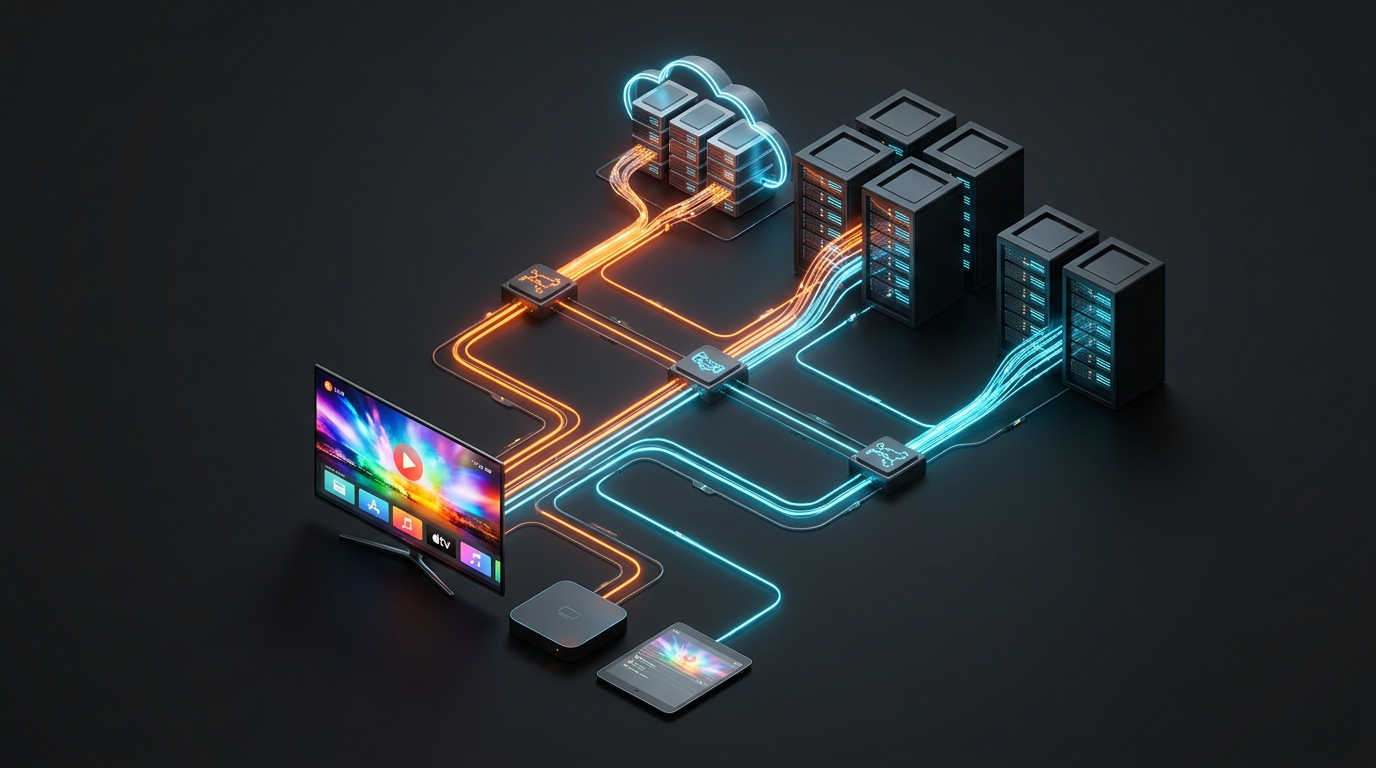
Internet Protocol Television (IPTV) is the delivery of television programming and video content using the Internet Protocol (IP) suite over a packet-switched network such as broadband internet, instead of delivery through traditional terrestrial, satellite signal, or cable television formats.
Unlike traditional cable where all channels are continuously pushed down a physical wire simultaneously—wasting immense bandwidth—IPTV streams only the channel or movie you are actively watching. When you change the channel, a new unicast stream is instantly opened from strongiptv's high-speed CDN, saving data and enabling pristine 4K and 8K picture quality.
How Does IPTV Streaming Actually Work?
To understand IPTV, consider how traditional TV broadcasts operate: audio and video signals are converted into radio frequency (RF) waves transmitted through the air or coaxial copper wires. Your television tuner tunes into a specific frequency to display the picture.
In contrast, IPTV follows a 4-step modern digital pipeline:
- Digitization & Encoding: Live video feeds from broadcasters are encoded using advanced digital codecs like HEVC (H.265) or AVC (H.264) to minimize file size while preserving high dynamic range (HDR) and 60FPS sports motion.
- Packetization & HLS Chunking: The encoded video is broken down into small, consecutive data packets (typically 2 to 6-second MPEG-TS or fragmented MP4 chunks via HTTP Live Streaming).
- Edge CDN Distribution: Rather than sending millions of users to one central server, strongiptv utilizes a distributed Content Delivery Network (CDN) with edge servers across North America, Europe, and Asia. Users automatically connect to the lowest-ping data center.
- Player Reassembly & Rendering: Your streaming app (such as TiviMate, IPTV Smarters Pro, or IBO Player) receives the packets, reassembles them in a small memory buffer, and renders the video hardware-accelerated on your display.
The 3 Main Types of IPTV Services
| IPTV Format | How It Works | Examples | strongiptv Support |
|---|---|---|---|
| Live Television | Real-time broadcast streams with minimal latency (<5s delay) | Live Football, Champions League, UFC PPV, News | ✓ 55,000+ Live Channels |
| Video on Demand (VOD) | On-demand catalog of movies and full series with pause/rewind | Latest Hollywood Cinema, Netflix & HBO series | ✓ 120,000+ Movies & Series |
| Time-Shifted (Catch-Up) | Server-recorded broadcasts replayable for 7–14 days | Replaying missed sports matches or evening shows | ✓ Catch-Up on Major Channels |
Unicast vs. Multicast: The Technology Behind the Stream
Traditional IPTV operated by closed internet service providers (like AT&T U-verse) uses multicast transmission within a private managed intranet. Over-the-top (OTT) modern IPTV uses unicast HTTP streaming.
Unicast establishes an individual, one-to-one connection between your streaming app and the nearest strongiptv edge node. This allows custom bitrates, dynamic resolution switching (from 1080p to 4K UHD), multi-language subtitle tracks, and personalized electronic program guides (EPG).
Hardware & Internet Requirements to Run IPTV
You do not need expensive proprietary set-top boxes to enjoy IPTV. All you need is:
- A Streaming Device: Amazon Fire TV Stick 4K, Android TV Box (Nvidia Shield, Chromecast with Google TV), Apple TV 4K, or Samsung/LG Smart TV.
- Stable Broadband: Minimum 15 Mbps for 1080p Full HD; 35–50 Mbps for 4K and 8K Ultra HD. Read our Internet Speed Guide.
- A High-Performance IPTV App: TiviMate, IPTV Smarters Pro, or IBO Player Pro.
- An Active Subscription: M3U playlist URL or Xtream Codes API credentials from strongiptv.
Curated Video Walkthrough: What Is IPTV & How Does It Work
Watch this detailed, beginner-friendly video walkthrough explaining how IPTV works, internet protocol transmission, and how to get started on any device:
Frequently Asked Questions (FAQ)
Is IPTV legal to use?
IPTV technology itself is 100% legal—it is simply a transmission protocol like HTTP or FTP used by major broadcasters worldwide including BBC, Hulu, and Peacock.
What is the difference between IPTV and OTT?
IPTV refers to the specific architecture of streaming TV over IP networks. OTT (Over-the-Top) refers to content delivered over the public open internet without requiring a specific telecom subscription. strongiptv provides OTT IPTV accessible on any internet provider.
Can I use one subscription on multiple TVs?
Yes. strongiptv offers multi-room connections so your family can watch simultaneously in the living room and bedroom.
Our dedicated technical support team is online 24/7 on WhatsApp. Send us your device name and we will guide you step-by-step.